
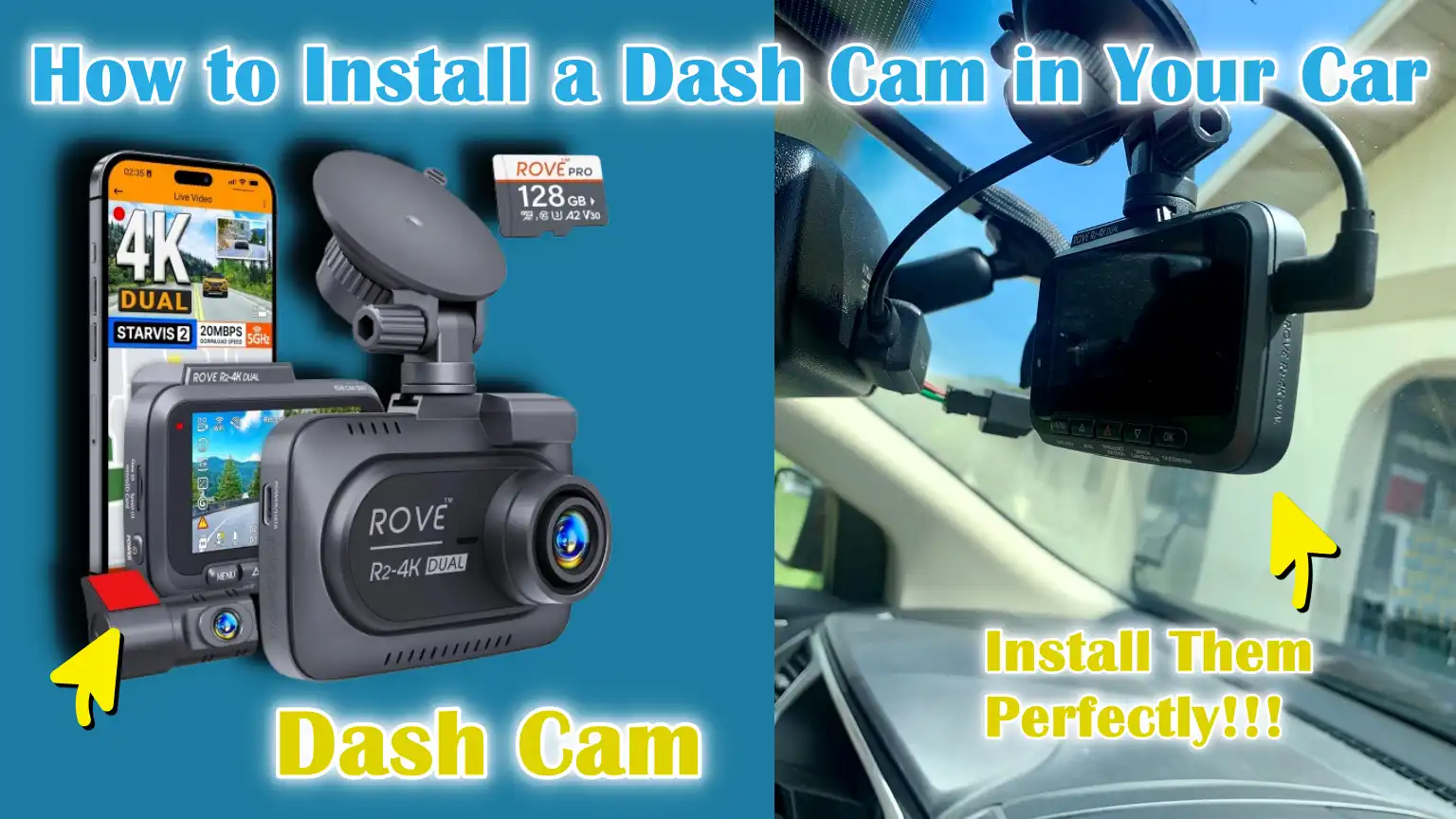
Written By: Don Dodi
Fact Checked By: Kristen Brown
Reviewed By: Diego Rosenberg
The best useful thing to have the DASH CAM in your vehicle is you can prove your innocence in seconds after a crash or anything happens, as you won’t have to rely on shaky memory or biased witness anywhere: and that’s the actual Power of a Dash Cam.
Yes, 100% dash cam is one of the smartest upgrades that you can make for your safety, security and peace of mind.
The dash cam and also called dashboard camera works by continuously record your driving journey and it actually stores video evidence that can be really beneficial in case of accidents, to clear insurance disputes or even hit-and-run incidents.
Not only this, according to the insurance institute for Highway Safety, there are nearly 40% of insurance claims actually involve disputes over fault and that’s why when you have a clear video footage evidence that can literally speed up settlements and protect the drivers from any kind of false liability as well.
Along with this, now-a-days modern dash cams comes with lots more features rather than just record: as it comes with nigh vision, GPS tracking, motion detection and parking mode as well that safeguard your car even when you’re not around.
And in the countries such as: UK and Russia, they have actually reduced fraudulent claims significantly, as dash cams have become so common there and that saves drivers and insurers millions each year.
So, it is really important to have one as your guardian of your car, but you have to make sure that the footage should be clear, there won’t be shaky vision and it covers properly that’s why you have to know How to Install a Dash Cam in Your Car.
How to Choose the Right Dash Cam
1. Types of dash cams
When choosing a dash cam, it’s important to understand the different types available.
Front-facing dash cams are the most common type, recording the road ahead to capture accidents or traffic incidents.
Dual dash cams record from both the front and rear of the car, giving a full view of any incident from multiple angles.
Some advanced models offer 360-degree dash cams, which cover the entire surroundings of the vehicle, providing full protection against collisions from any direction.
Choosing the right type depends on your driving habits and the level of coverage you want for safety.
2. Key features to look out for
Not all dash cams are the same and certain features can make a big difference in usability and video quality.
Resolution is important because high resolution, such as 1080p or 4K, ensures that every detail is clearly visible, including license plates and road signs.
Night vision is another essential feature, allowing your camera to record clear footage in low light or at night.
GPS integration can track your location, speed and route, which can be useful in insurance claims or accident investigations.
Storage capacity is also important, as dash cams record continuously and you need enough space to save hours of footage on a microSD card.
3. Compatibility with your car
Before buying a dash cam, it is important to check if it is compatible with your vehicle.
Some dash cams may require specific types of power connections or mounting options that may not work with all cars.
Make sure the camera fits comfortably on your windshield, without obstructing your view and remains stable on rough roads.
Additionally, if your car has advanced driver assistance systems or sensors, it is important to position the dash cam in a way that does not interfere with their operation.
Checking these details beforehand ensures a smooth installation process and avoids potential problems while driving.
Tools
| Tools / Materials | Purpose / Why You Need It | Additional Notes |
|---|---|---|
| Dash Cam Unit | The main device that records video of your driving. | Choose the one that suits your needs: front-facing, dual, or 360-degree. |
| Power Cable / Hardwire Kit | Provides power to the dash cam from the car battery or cigarette lighter. | Hardwiring gives a neat look and can enable parking mode; the power cable is handy for beginners. |
| MicroSD Card | Stores all recorded videos. | Use a high-quality, high-endurance card to avoid errors and ensure long-term use. |
| Trim Removal Tool | It helps to securely place wires behind the car’s panels without causing any damage. | Make sure the surface is clean before sticking for maximum grip. |
| Fuse Tap Kit (Optional) | Lets you connect the dash cam directly to the car’s fuse box. | Enables ignition-controlled or always-on power setup. |
| Power Bank (Optional) | Provides backup power when the car battery is off. | Useful for testing or temporary setup without wiring. |
How to Prepare for Installation of Car Dash Cam
1. Choose the ideal mounting location
Choosing the right spot for your dash cam is important for both safety and recording quality.
The best spot is usually behind the rearview mirror as this gives a clear view of the road without obstructing the driver’s vision.
Mounting the dash cam too low or at the edges of the windshield can block sight lines or not capture the full width of the road.
Also, mounting it in the middle ensures that it records evenly and reduces distortion in the video footage.
Taking these factors into account ensures that your dash cam captures accurate and useful recordings in the event of an accident.
2. Clean the windshield area
Before installing the dash cam, it is important to clean the windshield thoroughly.
Dust, grease, or leftover residue can prevent the adhesive mount from sticking properly, causing the dash cam to fall or tilt while driving.
Using a regular glass cleaner or a mild alcohol-based solution ensures that the surface remains free of dirt and moisture.
Cleaning the area also helps maintain the stability of the dash cam, ensuring clear and stable recording even on bumpy roads.
3. Test the dash cam before final installation
Testing the dash cam before fully securing it is a simple but important step.
Plug the device in, turn it on and check that it is working and recording properly.
Check the camera angle, focus and video quality to make sure it is adequately covering the road.
This step helps identify any problems with the device or placement before final installation, saving time and the hassle of rewiring or repositioning it later.
Proper testing ensures that your dash cam works reliably the first time you run it.
How to Install a Dash Cam in Your Car – Full Method
1. Installing the Dash Cam
The first step in installing the dash cam is to mount it to your windshield.
For better coverage on the road, use the adhesive or suction mount provided with your device to attach it to the chosen location, usually behind the rearview mirror.
Make sure the camera is properly aligned so that it can record the road without any obstructions, such as mirrors or sun visors.
Proper alignment ensures that the dash cam captures clear footage of lanes, vehicles and traffic signs, which is important for insurance claims or legal evidence in case of accidents.
2. Installing the Power Cable
After installing the dash cam, the next step is to properly attach the power cable to the car.
Start running the cable along the headliner, then carefully attach it to the A-pillar using a trim removal tool to avoid damaging the car’s interior.
Continue running the cable along the door seal and finally into the glove box or fuse box, depending on the power source.
Proper cable management not only keeps your car’s interior clean, but also prevents wires from interfering with airbags or other safety systems.
3. Power Connection
There are two main ways to power your dash cam.
The first option is to use the cigarette lighter socket, which is quick and simple and doesn’t require any changes to your car’s electrical system.
The second option is hard wiring the dash cam to the fuse box, which provides a more professional installation and allows features like parking mode to work even when the car is turned off.
When hard wiring, it’s important to ensure proper grounding to prevent electrical malfunction or damage to the dash cam.
Choosing the right power connection method depends on your comfort level and whether you want a temporary or permanent setup.
4. Placing the Rear or Secondary Camera – If Applicable
If your dash cam system has a rear or secondary camera, it’s important to position it correctly for full coverage.
Carefully route the cable from the rear of the car to the rear windshield to avoid interfering with moving parts or airbags.
Securely mount the rear camera so it stays in place and has a clear view of the road behind the vehicle.
Finally, connect it to the main dash cam unit and test the system to make sure both the front and rear cameras are recording correctly.
Correct installation provides complete protection and clear evidence from every angle.
How to Test and Adjust Car Dash Cam
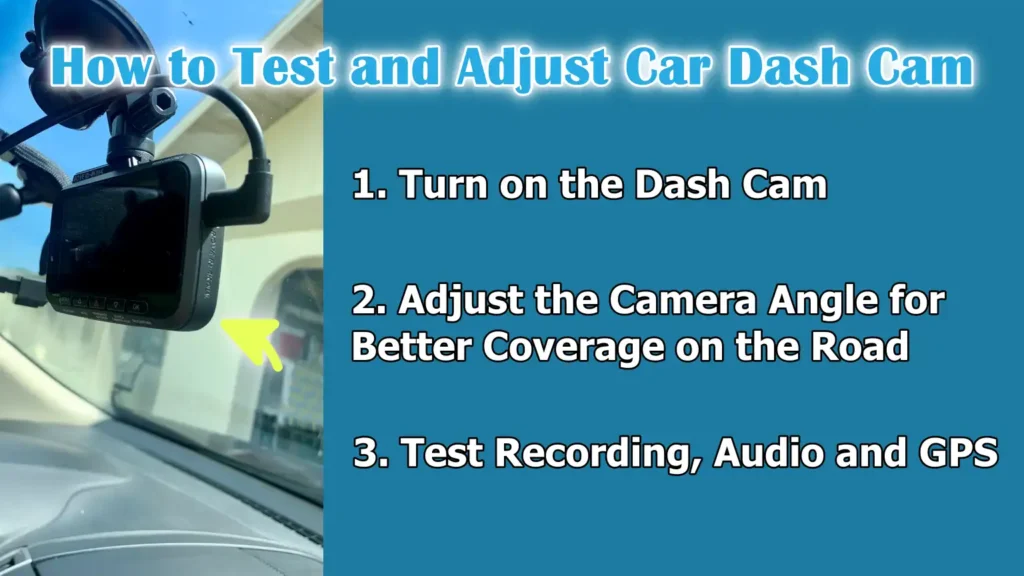
1. Turn on the Dash Cam
After installing the dash cam, the first step is to turn on your car and make sure the device is powered on properly.
A properly functioning dash cam should automatically begin recording as soon as it detects power.
If the dash cam does not turn on, it could be a sign of a loose connection, an incorrectly inserted memory card, or a problem with the power source.
It is important to make sure the dash cam is powered on properly, as a device that cannot record may not provide evidence in the event of an accident.
2. Adjust the Camera Angle for Better Coverage on the Road
After the dash cam is powered on, adjust its angle to effectively cover the road.
The camera should capture as much of the lane in front of the car as possible without covering too much of the dashboard.
The ideal angle minimizes blind spots and ensures that important details such as license plates, traffic signals and road signs are clearly visible.
Correct alignment is specially important for dual camera systems, where both the front and rear cameras must be placed to provide a full view of the surrounding area.
3. Test Recording, Audio and GPS
After placing the camera in the correct place, test all main functions to ensure the dash cam is working as expected.
Start a short recording and check the video quality to ensure clarity in both day and night conditions.
If your dash cam includes audio recording, test the microphone to ensure it captures sound clearly without interference.
Additionally, check GPS functionality, if available, as it records the vehicle’s speed and location, which can be important in accident investigations or insurance claims.
Extensive testing at this stage ensures that your dash cam is fully functional and reliable before regular use.
Read More:
What are The Basic Tips for Having The Best Results
When you wanna install a dash cam in your vehicle, then it is really important to use high-endurance microSD cards, also avoid repeatedly removal of the card, keep the dash cam’s clock and GPS always enabled and also copy the original files rather than editing them as it is, as the forensic analysis looks for tampering and needs to have reliable timestamps and provenance as well.[¹]
1. Use a high-capacity microSD card
To keep your dashcam working reliably for a long time, it’s important to use a high-capacity microSD card.
These cards are specifically designed to handle frequent writing and overwriting of video files, which is common in dashcam use.
Standard memory cards can quickly degrade or corrupt data during continuous recording.
Using a high-quality card ensures that your recordings are stored safely, reduces the risk of losing footage and helps the dashcam perform better even in extreme temperatures.
2. Check video quality regularly and adjust settings
To ensure that your dashcam captures clear and usable footage, it’s important to periodically review the video quality and adjust settings as needed.
Lighting conditions, weather and even the cleanliness of the windshield can affect the clarity of the recording.
Checking the resolution, exposure and frame rate ensures that license plates, road signs and other important details are visible.
Regular adjustments help maintain reliable evidence and prevent situations where poor video quality can render footage unusable.
3. Keep the lens clean for clear recordings
A clean dash cam lens is essential for sharp and clear recordings.
Dust, fingerprints, or smudges on the lens can blur footage, making it difficult to see important details.
Clean the lens gently with a soft microfiber cloth and avoid harsh chemicals that can scratch or damage the camera.
Keeping a clean lens keeps video quality stable and the dash cam working effectively in all types of lighting.
4. Consider parking mode setup if needed
Many modern dash cams have a parking mode that records video when the vehicle is parked and detects motion or impact.
This feature provides additional protection against vandalism, hit-and-run incidents, or accidental damage when your car is unoccupied.
If your dash cam supports parking mode, set it up according to the manufacturer’s instructions and make sure it has the proper power source, whether it’s hardware or an external battery.
Using parking mode adds an extra layer of safety and increases the usability of your dash cam.
What are The Safety and Legal Considerations
1. Check local laws regarding dash cam installation
Before installing a dash cam, it’s important to understand the legal regulations in your area regarding mounting the device on the windshield or dashboard.
Many areas have laws that prohibit the installation of any object that obstructs the driver’s view, as this can pose a safety hazard and result in fines.
Mounting a dash cam behind the rearview mirror is usually the safest and most appropriate location, as this provides a clear view of the road without interfering with driving.
Familiarizing yourself with local regulations ensures that your installation is both safe and legal.
2. Privacy concerns when recording
Although dash cams provide important evidence in accidents, it’s important to consider privacy issues when recording in public or private places.
Some countries or states have restrictions on recording audio or video of other people without consent.
Recording in private areas, such as inside other vehicles or on private property, may violate privacy laws.
Being aware of these rules helps avoid legal problems and ensures that your dash cam is used responsibly.
Maintaining ethical recording practices keeps you and others safe, while also ensuring your dash cam serves its purpose effectively.
How to Do Troubleshooting The Common Problems
1. Dash Cam Won’t Turn On
If your dash cam won’t turn on, first check the power connection.
Make sure the cable is properly plugged into the power source, whether it’s a cigarette lighter socket or a hard-wired fuse connection.
If the connection is okay but the device still won’t turn on, check the fuse in your car’s power outlet or the internal fuse of the dash cam, if applicable.
Bad wiring or a dead car battery can also cause the dash cam to not work.
Correctly diagnosing the problem ensures that your dash cam is ready to record when you need it.
2. Memory Card Errors
Memory card errors are a common problem that can prevent a dash cam from recording.
These errors usually occur when the microSD card is full, damaged, or not compatible with the dash cam.
Using a high-capacity card designed for continuous recording can prevent most problems.
It is also important to format the memory card in the dash cam from time to time to maintain proper performance.
Resolving memory card errors is essential to store reliable video evidence.
3. Poor video quality
If the dash cam records unclear or blurry footage, there could be several reasons for this.
Dirt or smudges on the lens can reduce clarity, so it is important to clean the lens regularly.
Incorrect camera angles or improper resolution settings can also affect video quality.
Low light or bad weather conditions at night can reduce visibility, so adjusting the exposure, resolution or enabling night vision features can improve recordings.
Ensuring clear video is important for capturing useful evidence in accidents or incidents.
4. Loose wiring or falling mount
Over time, wires can become loose or adhesive mounts can wear out, causing the dash cam to move or fall.
Check regularly that the cables are securely connected and the mount is firmly affixed to the windshield.
Extreme temperatures, humidity, or frequent removal and reattachment can weaken adhesive mounts.
Replacing a worn mount or fixing loose wiring prevents recording interruptions and ensures your dash cam stays stable during every drive.
Conclusion – How to Install a Dash Cam in Your Car
Without a doubt, there is uncertainty in the road, that’s why you actually needs a dash cam that gives you clear and truly reliable witness to every moment.
A properly installed dash cam can provide clear evidence in the event of accidents, help prevent insurance fraud and, if equipped with a parking mode, even monitor your vehicle while parked.
By choosing the right type of dash cam, using high-quality components and following the correct installation and testing procedures, you ensure that your device operates reliably and records continuously.
Regular maintenance, such as cleaning the lens, checking video quality and verifying power connections, keeps your dash cam fully functional and ready to capture every moment on the road.
With the right precautions and legal awareness, a dash cam becomes more than just a recording device—it becomes a trusted companion that protects you, your car and everyone around you.
Now, you can ask the questions and queries in the comment section below.
Frequently Asked Questions
1. What is a dash cam and why should I install one in my car?
Answer: A dash cam, short for dashboard camera, is a small camera installed in your car that continuously records your driving journey. It can record accidents, traffic accidents or any unusual events that occur on the road. Installing a dash cam is useful because it provides clear evidence in case of disputes with other drivers, insurance claims or accidents. If your dash cam has a parking mode, it can also record parking incidents or vandalism. Installing a dash cam increases your security, prevents fraud and gives you peace of mind while driving.
2. Where is the best place to install a dash cam in my car?
Answer: The ideal place to install a dash cam is usually behind the rearview mirror. This position provides a clear view of the road ahead without blocking your vision while driving. Installing it too low or too far away can reduce coverage and make videos less useful. If your dash cam has a rear camera, it should be firmly mounted to the rear windshield so that it can record the area behind the vehicle without obstructing any passengers or vehicle sensors.
3. Do I need a special memory card for my dash cam?
Answer: Yes, it’s very important to use a high-capacity microSD card. Dash cams record video continuously, which can cause standard memory cards to wear out quickly. High-capacity cards are designed to be constantly written and rewritten, reducing the risk of files becoming corrupted or recordings being lost. Regularly formatting the card in the dash cam keeps it working properly and ensures that your recordings are stored safely.
4. Can I install a dash cam myself, or do I need a professional?
Answer: Most dash cams can be installed by yourself without any professional assistance, specially if you’re using a power cable that plugs into the cigarette lighter. The process involves placing the camera, properly connecting the power cable and testing the device. For hard wiring into the fuse box, it may be helpful to have some knowledge of car electronics, but carefully following the step-by-step instructions usually allows even beginners to install it successfully.
5. Can a dash cam record at night or in low light?
Answer: Yes, many modern dash cams have night vision or low light recording capabilities. These features help the camera capture clear footage even in low light, such as at night or in dimly lit areas. However, the recording quality at night can vary depending on the camera’s resolution, lens quality and sensor type. Regularly checking and adjusting the camera angle, cleaning the lens and ensuring proper exposure settings can improve video clarity in low light.
6. Is it legal to use a dash cam in my car?
Answer: The legality of a dash cam depends on your location. In most countries, using a dash cam is legal as long as it doesn’t obstruct the driver’s view. Installing a dash cam behind a rear-view mirror is usually compliant with regulations. It’s also important to follow privacy laws when recording audio or video, specially when recording other people, private property, or inside vehicles. Checking local laws can help you use your dash cam safely and legally.
7. What should I do if my dash cam stops working or the video isn’t clear?
Answer: If your dash cam stops working, first check the power connection and make sure the device is plugged in properly. If you’re using a hard-wired connection, check the fuse. Poor video quality can be caused by a dirty lens, the wrong camera angle, low resolution, or poor lighting. Cleaning the lens, adjusting the angle and testing different settings usually solves most problems. Using a high-quality memory card and making sure it’s properly formatted prevents errors and ensures smooth recording.
8. Can my dash cam record when my car is parked?
Answer: Yes, many dash cams have a parking mode. When turned on, this mode allows the camera to record video when it detects motion or impact while the car is parked. This can help record vandalism, hit-and-run incidents, or theft attempts. To use parking mode effectively, you may need to hard wire the dash cam or use an external power source to ensure it receives constant power even when the car is turned off.
References:
[1] Dashcam Forensics: A Preliminary Analysis of 7 Dashcam Devices
https://wrap.warwick.ac.uk/id/eprint/136155/7/WRAP-dashcam-forensics-preliminary-analysis-7-dashcam-devices-Lallie-2020.pdf

Guys, I’m a car audio enthusiast and customization expert and I love clear sound and clean installation. Plus, I have spent years helping people build their dream audio setups. And whenever I’m working on cars, I probably listen to music and thinks about the next big upgrade.