 Skip to content
Written By: Don Dodi
Fact Checked By: Kristen Brown
Reviewed By: Diego Rosenberg
It is the fact that millions of cars go missing worldwide and that’s why in today’s world the safety of your vehicle becomes more important than ever.
Plus, modern GPS trackers are small and actually affordable devices that provides the real-time location, geofencing and speed alerts as well and because of this you can easily recover a stolen vehicle and it won’t be that difficult and time-consuming.
Basically a GPS tracker uses satellite signals to pinpoint your car’s location in real time and you can easily monitor it from your phone or computer.
As well as, GPS trackers comes in different types such as: including plug-and-play OBD-II devices, hardwired trackers and portable magnetic trackers as well.
And they are not only to help your recover stolen vehicles but also comes with features such as: geofencing, speed alerts and travel history as well that gives their car owners more control and most importantly peace of mind.
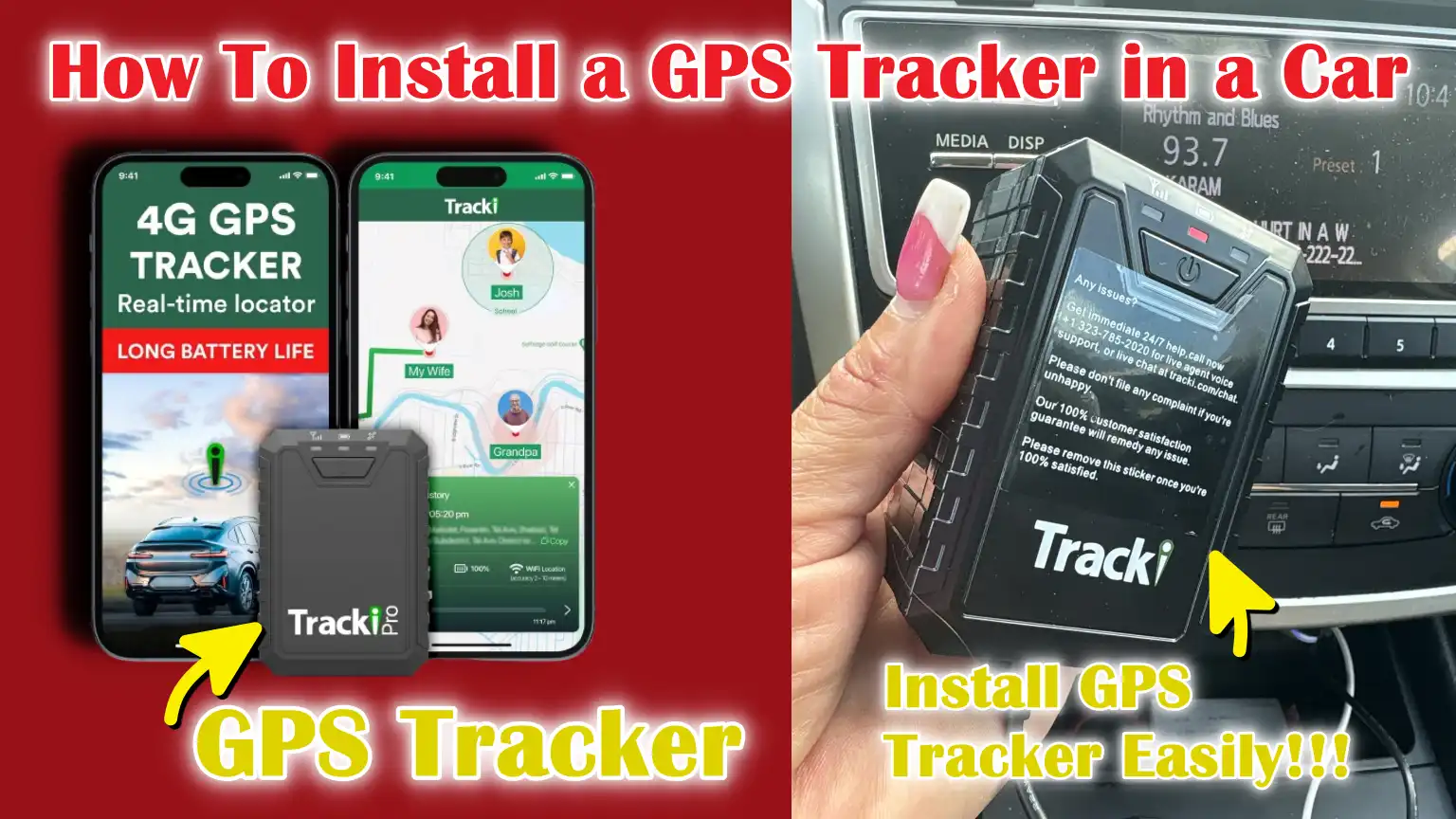
But you need to know How To Install a GPS Tracker in a Car, so that you can ensure it works effectively and that keep your vehicle always in protected mode.
How to Choose the right GPS tracker
Choosing the right GPS tracker is the first and most important step to protecting and monitoring your vehicle.
A correctly chosen tracker ensures reliable performance, accurate alerts and long-term durability.
To make the right choice, you need to consider the type of tracker, its features, power source, app support and legal guidelines.
1. Type of tracker
There are several types of GPS trackers available for vehicles.
Plug-and-play OBD-II trackers are easy to install and draw power directly from the car’s OBD-II port.
Hard-wired trackers are connected directly to the car’s battery and ignition system, providing a safe and permanent solution.
Portable magnetic or battery-powered trackers can be carried between vehicles, but they require regular recharging or battery replacement.
The tracker you choose should suit your vehicle needs, installation comfort level and monitoring goals.
a. Features
The features of a GPS tracker determine its usefulness.
Key features include real-time tracking, geofencing, speed alerts, movement notifications and travel history.
Advanced trackers can also offer SOS buttons, tamper alerts and integration with mobile apps for convenient monitoring.
Choosing a tracker with the right features ensures that it not only helps recover a stolen vehicle, but also gives information about driving habits and vehicle usage.
b. Power Source: Battery vs Wired
The power source of the tracker is another important factor.
Hard-wired trackers are constantly powered by the vehicle and do not require battery maintenance, ensuring their uninterrupted operation.
Battery-powered trackers offer flexibility and can be quickly installed in multiple vehicles, but they require regular monitoring and recharging to stay operational.
The decision between a wired or battery-powered tracker depends on whether you prioritize long-term reliability or portability.
c. App Support
Reliable app support is essential for effective monitoring.
Most modern GPS trackers work with mobile apps or web portals that allow you to view your car’s real-time location, view travel history, set up geofences and receive alerts.
A user-friendly app ensures that you can easily monitor your vehicle from anywhere and respond quickly to any alerts.
2. Legal reminder
It is extremely important to follow legal guidelines when installing a GPS tracker.
Only install this device in vehicles that you own or drive.
Installing a tracker on someone else’s car without their permission is illegal in most countries and can have serious legal consequences.
Responsible use of GPS trackers ensures your safety and protects your and others’ privacy.
Tools
| Tools/Contents | Description/Purpose |
|---|---|
| GPS Tracker | The main device that will track your car’s location. Choose the type according to your needs: OBD-II, hardwired, or portable. |
| SIM Card (if required) | Some GPS trackers require a SIM card to send location data via the mobile network. Check if your tracker requires one. |
| Screwdriver | Used to remove panels or screws in your car to access the installation location. Both flathead and Phillips screwdrivers may be required. |
| Fuse Tap | Allows the tracker to be securely connected to the car’s fuse box without cutting wires, ensuring a proper electrical connection. |
| Multimeter | A device that measures voltage, current, or resistance. Helps confirm the car’s power source and secure wiring connections. |
| Electrical Tape | Used to cover and protect electrical connections, prevent short circuits and ensure safety. |
| Zip Ties | Helps securely hold wires and trackers under panels or in hidden locations so cables don’t become loose or dangling. |
How to Choose an Installation Location
Choosing the right location for your GPS tracker is one of the most important steps in the installation process.
The location determines how well the device can receive GPS signals, remain hidden from view and remain safe from damage.
An incorrect location can result in weak signals, frequent connection drops, or easy detection by thieves.
Therefore, it’s important to carefully consider several key criteria before installing a tracker.
1. Criteria
First, the installation location should be hidden from plain sight.
The tracker should not be visible to anyone looking inside the vehicle, as it could be tampered with or removed if left uncovered.
Second, the device must be able to receive a strong GPS signal.
This typically means avoiding areas completely enclosed by metal or deep interior compartments that block satellite signals.
Third, the location should protect the tracker from heat, moisture and vibration.
Installing the device near engine heat sources or areas prone to water leaks can damage it over time.
Meeting these criteria will ensure reliable operation and longevity of the GPS tracker.
2. Common Locations
There are several common locations in a car that meet these criteria.
Under the dashboard is one of the most popular locations because it’s easy to install, yet largely hidden from view.
If the tracker is small enough and doesn’t block storage space, the glovebox area can also be used.
Trunk side panels or hidden compartments in the rear of a car are ideal for hardwired or battery-powered trackers, as they are discreet and protected from everyday use.
Choosing the right location requires balancing concealment, signal strength and protection from environmental factors to ensure optimal tracker performance.
How to Install GPS Tracker – Easy Steps
Installing a GPS tracker in your car requires careful attention so that it works reliably and remains secure.
The installation process depends on the type of tracker you choose.
Following the correct steps not only protects your device but also ensures accurate real-time tracking and longevity.
1. OBD-II Tracker
Installing an OBD-II tracker is the easiest method and doesn’t require complicated wiring.
First, locate the car’s OBD-II port, usually located under the dashboard near the steering column.
Plug the tracker into the port and ensure it fits securely.
Once connected, turn on the car and connect the tracker to the provided mobile app or web portal.
This allows you to immediately start monitoring your vehicle’s location and set alerts such as movement, geofencing, or speed notifications.
The simplicity of OBD-II trackers makes them ideal for beginners and those who want a quick, reliable solution without making any changes to the vehicle’s electrical system.
2. Hardwired Tracker
Installing a hardwired tracker requires more steps, but it provides a safe and permanent solution.
Start by disconnecting the car battery to ensure safety when handling electrical connections.
Identify a stable power source, a wire connected to the ignition switch and a solid ground point in the vehicle.
Carefully connect the tracker’s wires using appropriate fuses and secure insulation to avoid short circuits or damage.
Once the connections are complete, install the tracker in your chosen hidden location, ensuring the wires are securely connected and secured with zip ties or clips.
Reconnect the car’s battery and test the tracker to ensure it powers on properly and provides accurate location updates.
Hardwired trackers are ideal for long-term use because they don’t rely on battery replacement and are more difficult to detect.
3. Portable Tracker
Portable trackers offer flexibility and ease of use.
These devices are typically battery-powered and can be mounted magnetically or by attaching them to a metal surface inside the vehicle.
Choose a discreet location where the tracker can remain hidden while still receiving a strong GPS signal.
Portable trackers are specially useful for temporary monitoring or for moving between multiple vehicles.
Regularly check and recharge the battery to ensure continued operation.
Despite their simplicity, proper placement and battery maintenance are crucial for reliable tracking.
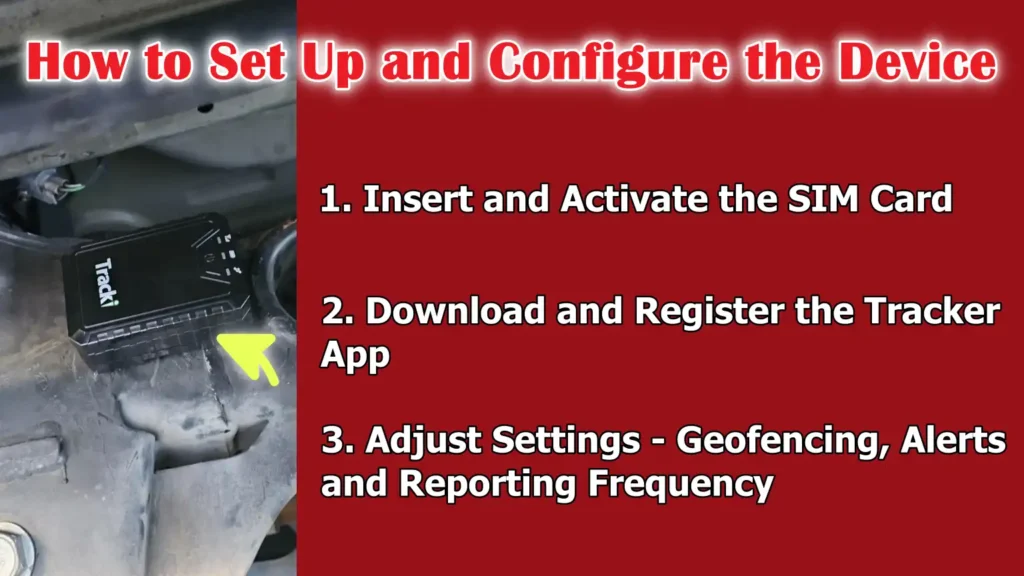
How to Set Up and Configure the Device
After installing your GPS tracker, the next step is to properly set it up and configure it.
Correct setup ensures that the tracker functions correctly and provides real-time information about your vehicle.
Correct configuration also allows you to receive alerts from anywhere and efficiently monitor your car.
1. Insert and Activate the SIM Card
Many GPS trackers require a SIM card to transmit location data via the mobile network.
If your tracker uses a SIM card, carefully insert it into the designated slot according to the device’s instructions.
Ensure the SIM card is activated, has sufficient balance or a data plan and is compatible with the tracker.
Some trackers support 2G, 3G, or 4G networks, so make sure the network coverage in your area is reliable.
Properly activating the SIM card is essential for uninterrupted tracking and ensures the device can send alerts or updates when your vehicle is moving.
2. Download and Register the Tracker App
Once the SIM card is activated, download the tracker’s mobile application or visit its web portal.
Most GPS trackers offer apps for both Android and iOS devices, allowing you to monitor your car in real time.
Register the tracker by entering its unique ID or serial number, which links the device to your account.
Completing this step allows you to access features like location history, live tracking and movement notifications.
A properly registered tracker ensures that only you can view and control vehicle data, improving security and privacy.
3. Adjust Settings – Geofencing, Alerts and Reporting Frequency
After registering, configure the tracker settings to your liking.
Geofencing allows you to set virtual boundaries for your vehicle, sending alerts whenever it enters or exits a specific area.
You can also set alerts for speed limits, movement, tampering, or low battery notifications.
Additionally, adjust the reporting frequency, which determines how often the device updates your vehicle’s location.
Shorter intervals provide more accurate real-time tracking but may use more data or battery, while longer intervals save power and data but reduce accuracy.
Optimizing these settings ensures the tracker provides useful information without unnecessary interruptions or excessive data usage.
Read More:
How to Test the GPS Tracker
After installing and configuring your GPS tracker, it’s important to test the device to ensure it’s working properly.
Proper testing helps ensure the tracker provides accurate location data and that all alerts and notifications are working as expected.
Skipping this step can result in unreliable tracking or missed alerts, defeating the purpose of installing the device.
1. Drive and Check Location Accuracy
To check the accuracy of the GPS tracker, start by driving your vehicle on different roads and in different areas.
Use a mobile app or web portal to monitor the vehicle’s location in real time.
The tracker should update frequently and accurately reflect the car’s movements on a map.
Pay attention to signal stability, specially in areas with tall buildings, trees, or tunnels, as these can sometimes interfere with GPS reception.
Consistent, accurate location updates indicate that the tracker is installed correctly and that the chosen location allows for proper satellite signal reception.
2. Confirm Alerts, Notifications and Data Updates
In addition to tracking location, also ensure that all alerts and notifications are working properly.
This includes geofencing alerts, motion notifications, motion detection and low battery warnings.
Intentionally trigger these alerts, such as when the vehicle enters or exits a geofenced area or exceeds a set speed and ensure that notifications are received promptly in your app or email.
Also, review the data history and reporting frequency to ensure that updates are recorded correctly.
Ensuring that all features are working as expected ensures that the tracker can provide reliable security and monitoring for your vehicle at all times.
How to Do Troubleshoot
Even after proper installation and setup, GPS trackers can sometimes have problems that affect their performance.
It’s important to understand basic troubleshooting steps to quickly resolve these problems and ensure that the tracker continues to operate reliably.
Regular checks and preventive measures can also help avoid long-term problems and maintain accurate vehicle monitoring.
1. No Power
If the GPS tracker is not turning on, the first step is to check the vehicle’s fuse and wiring connections.
Make sure the fuse connected to the tracker is installed correctly and in the right place, as a blown or misplaced fuse can result in no power reaching the device.
Make sure the wires are securely connected to a stable power source and ground and check for any loose or damaged wires.
In some cases, the vehicle battery may need to be checked to ensure the tracker is receiving adequate voltage.
Resolving these problems usually restores power and returns the device to normal operation.
2. Weak signal
A weak GPS signal can reduce location accuracy or cause intermittent tracking updates.
To resolve this problem, place the tracker in a location with a clear line of sight to the sky, away from metal casings or dense materials that can block satellite signals.
Areas under heavy metal panels, deep compartments, or closed trunks may interfere with signal reception.
Testing the tracker in different positions and making sure there are no obstructions will usually improve signal strength and maintain accurate real-time tracking.
3. No updates
If the tracker is not sending updates or notifications, check the SIM card and network settings.
Make sure the SIM card is active, has sufficient balance or data and is compatible with the tracker’s required network frequency.
Also, make sure the tracker’s app or portal is properly connected to the device and that reporting intervals are set appropriately.
Network coverage, SIM activation, or app registration issues can prevent the tracker from updating and fixing these settings usually restores proper communication and consistent data reporting.
How to Do Final Checks and Maintain GPS Tracker in a Car
After installing and testing your GPS tracker, it’s important to perform final checks and routine maintenance to ensure the device continues to function reliably.
Proper care extends the tracker’s lifespan, maintains accurate vehicle tracking and helps prevent unexpected malfunctions.
Following these steps will keep your tracker in good condition over time.
Along with this, GPS/GSM vehicle tracking systems and anti-theft designs actually used for GPS module for position and a GSM/4G modem or SIM for data up-link, micro-controller logic that updates status and alerts, also there’s optional features are available such as geofencing, SOS or engine immobilisation. So, it is really important to have SIM and antenna configured in the correct way so that it works as a reliable tracker.[¹]
1. Ensure the Tracker is Hidden and the Wires are Secure
One of the most important final checks is to ensure the tracker is properly hidden and the wires are securely attached.
A well-hidden tracker reduces the risk of tampering or removal by unauthorized persons.
Ensure the wires are properly installed, insulated and secured with zip ties or clips to prevent damage from loose connections or vibration.
Securing the tracker and wires not only keeps the device safe but also ensures consistent power supply and uninterrupted tracking.
2. Periodically Test Functionality
Regularly testing your GPS tracker ensures it continues to function properly.
Monitor the vehicle’s location periodically through the app or portal, trigger alerts like geofences or speed notifications and ensure notifications are received promptly.
Testing the device every few weeks or months helps detect potential problems, such as power outages or signal issues, early, allowing for prompt corrective action.
3. Regularly Recharge or Inspect Battery-Operated Devices
For battery-powered or portable trackers, it’s important to regularly check the battery level and recharge it when needed.
A low or depleted battery can prevent the tracker from sending location updates or alerts, rendering it ineffective.
Check the battery for any signs of damage or wear and follow the manufacturer’s recommended charging schedule.
Maintaining a healthy battery ensures the tracker remains operational and reliable, specially when continuous monitoring is required.
Conclusion – How To Install a GPS Tracker in a Car
Now-a-days, it is really easy to protect your car, as you can add GPS tracker that can simply turns any vehicle into a smart and monitored asset.
Whether you choose a simple plug-and-play OBD-II tracker, a discreet hard-wired unit, or a portable battery-powered device, following proper installation, setup and testing procedures ensures that your tracker works reliably.
By selecting the right device, placing it in a hidden but signal-friendly location, securing all wiring and configuring alert and reporting settings, you create a system that can accurately track your car in real time.
Regular testing, maintenance and battery checks are also essential to ensure continuous operation and prevent downtime.
In addition to theft prevention, GPS trackers can provide valuable information about driving habits, routes taken and vehicle usage, making them useful for both personal and fleet vehicles.
By carefully and responsibly following these steps, car owners can enjoy greater security, control and confidence, knowing that their vehicle is always being monitored and protected.
Still have the confusion about anything, just comment and ask your queries.
Frequently Asked Questions
Q1. What is a GPS tracker and how does it work in a car?
Answer: A GPS tracker is a small device that uses satellite signals to determine your car’s precise location. It transmits this information via the mobile network or an app, allowing you to view your vehicle’s location in real-time. Some trackers also store location history, provide alerts for movement or speed and notify you if your vehicle leaves a specific area. The tracker operates continuously as long as it has power and a proper network connection, providing car owners with reliable information about their vehicle’s location.
Q2. Do I need a SIM card for my GPS tracker?
Answer: Not all GPS trackers require a SIM card, but some do, specially those that send real-time updates via the mobile network. A SIM card allows the tracker to transmit location data to your phone or computer. If your tracker uses a SIM card, you’ll need to ensure it’s activated, has sufficient data and is compatible with the tracker’s network type. Some trackers use Wi-Fi or offline storage, but live tracking over long distances usually requires a SIM card.
Q3. Can I install a GPS tracker myself, or do I need a professional?
Answer: Yes, most GPS trackers can be installed by car owners without professional help, specially OBD-II plug-and-play models and portable trackers. Hard-wired trackers require more attention to wiring, fuses and grounding, but with clear instructions and the right tools, many people can install them safely. Following the correct installation steps, testing the device and securing all wires ensures the tracker works reliably.
Q4. Where is the best place to hide a GPS tracker in a car?
Answer: The tracker should be hidden in a location that is out of sight, protected from heat and moisture and has a clear GPS signal. These are typically installed under the dashboard, inside the glovebox, or on the side panel of the trunk. Hard-wired trackers can be hidden behind panels for added security, while portable trackers can be mounted in various locations using magnets. The purpose is to keep the device out of sight without disrupting satellite reception.
Q5. How do I check if my GPS tracker is working properly?
Answer: After installation, you should test the tracker by driving the car and checking for location updates on the app or web portal. Ensure that the tracker sends alerts such as geofence notifications or movement alerts and also verify that the location history and reporting frequency are working correctly. Testing in different locations, including areas with buildings or trees, ensures that the device can maintain a strong signal and provide accurate information.
Q6. What should I do if the GPS tracker stops working or displays errors?
Answer: If your tracker stops working, first check the power source and wiring to ensure the device is receiving power. If it uses a SIM card, make sure it is active, has sufficient data and is inserted correctly. Weak GPS signals can cause inaccurate tracking, so relocating the tracker or moving it to a clean area can help. Regular maintenance, such as testing the functionality and checking the battery level for portable devices, prevents most problems.
Q7. How often should I maintain or calibrate my GPS tracker?
Answer: For hardwired or OBD-II trackers, it’s recommended to check the connection, location accuracy and alert functionality every few months. For battery-powered trackers, you should regularly check the battery, recharge it if necessary and test the device to ensure it continues to function. Regular maintenance ensures the tracker remains reliable, provides accurate information and prevents unexpected malfunctions.
References:
[1] GPS Based Vehicle Tracking System
https://www.researchgate.net/publication/352559892_GPS_Based_Vehicle_Tracking_System

Guys, I’m a car audio enthusiast and customization expert and I love clear sound and clean installation. Plus, I have spent years helping people build their dream audio setups. And whenever I’m working on cars, I probably listen to music and thinks about the next big upgrade.
