 Skip to content
Written By: Don Dodi
Fact Checked By: Kristen Brown
Reviewed By: Diego Rosenberg
Now-a-days, there’s one common problem, not with their advancement; but many still lacks enough USB ports to power your everyday devices in a safe and efficient way.
Yes, having a reliable USB ports in a car in your favourable location, is actually the practical upgrades for modern drivers, as today’s vehicle actually relies heavily on the use of smartphone for their GPS navigation, dash cameras, wireless adapters and other USB-powered accessories are also waits to be plugging in USB ports.
And, most of the cars operates on the 12-volt electrical system, but USB devices only requires 5 volts, which is why dedicated USB ports actually use built-in voltage converters so that they can safely lowers the power without damaging the devices.
Plus, there’s automotive accessory studies that shows that the low battery issues in the phones are one of the most common complaints among the drivers during their long journeys and there is the need for the navigational use and emergency situations as well, so the charging port is really important now-a-days.
Because, the factory-installed USB ports are often comes in the limited numbers, they also provides slow charging speed or literally unavailable in the older vehicles, that’s why you need to install them afterwards.
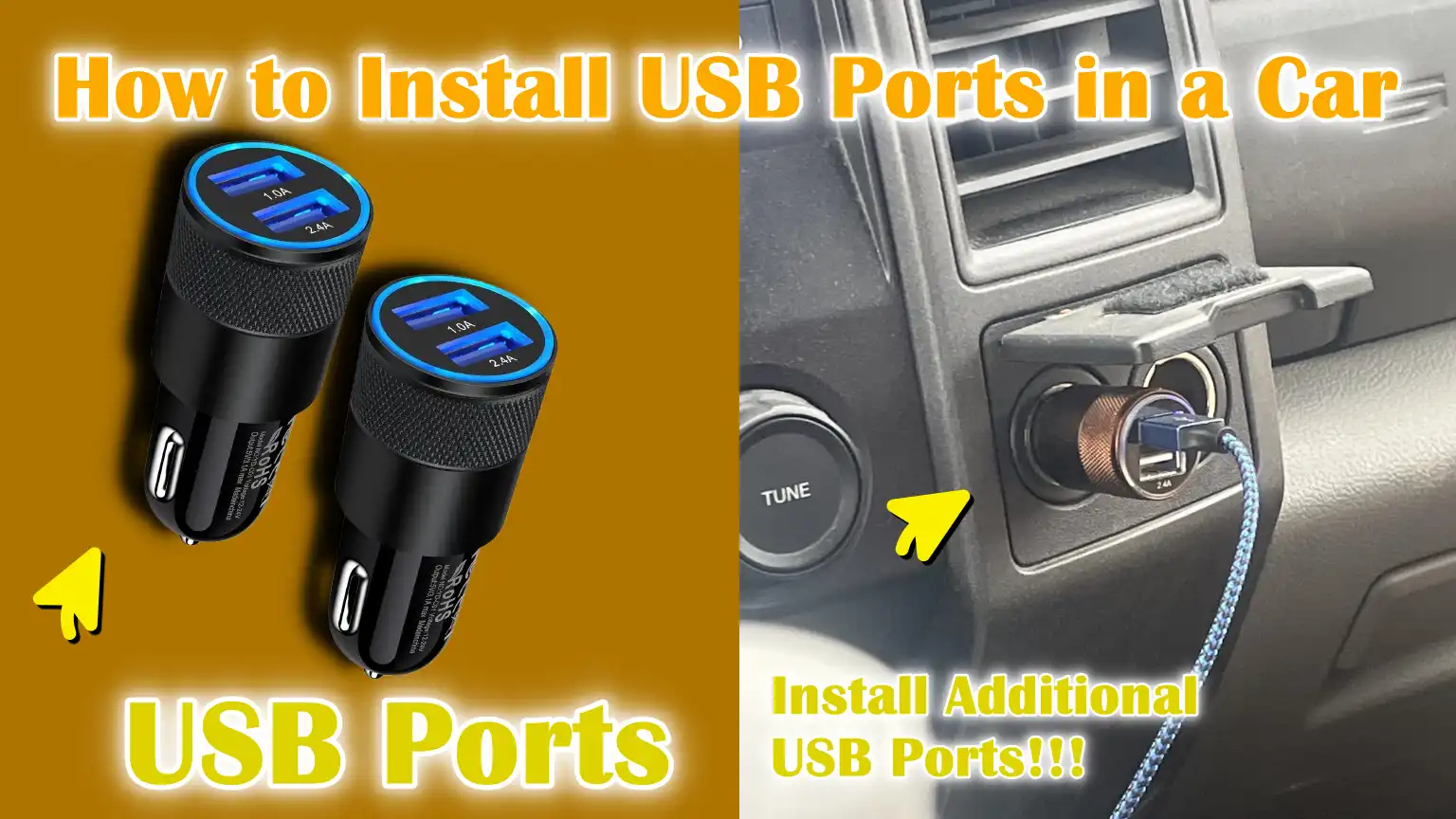
So, this is the proper guide on How to Install USB Ports in a Car, so that you can do proper fusing and grounding, so that you can make USB ports extremely safe, energy-efficient and even they draws minimal power from the vehicle.
Understand, Common Types of USB Ports for Cars
1. USB-A vs USB-C Ports
USB-A ports are the most common type found in cars and accessories.
They are widely compatible with older charging cables and devices such as smartphones, dashcams, Bluetooth adapters and power banks.
USB-A ports typically offer basic charging speeds and are reliable for everyday use.
USB-C ports are newer and designed for modern devices that require faster and more efficient power delivery.
They can deliver more power using the same small connector, allowing for faster charging of newer phones, tablets and even some laptops.
USB-C ports are also reversible, meaning the cable can be plugged in either way, making them easier to use while driving.
The choice between USB-A and USB-C primarily depends on the devices being charged and whether fast charging is needed.
2. Fast-Charging USB Ports – QC and PD Support
Fast-charging USB ports are designed to reduce charging times by safely delivering more power to compatible devices.
Quick Charge (QC) technology is commonly used with USB-A ports and adjusts voltage levels according to the device’s capabilities.
Power Delivery (PD) is typically found in USB-C ports and can deliver significantly more power while protecting the device from overheating or overloading.
These technologies communicate with the connected device to deliver only the necessary power, optimizing charging speed and battery health.
For drivers who rely on navigation apps, video calls, or long road trips, fast-charging USB ports help keep devices powered without interruption.
3. Panel-Mount USB Ports vs Socket-Style USB Chargers
Panel-mount USB ports are installed directly into the dashboard, center console, or trim panels, providing a clean and factory-integrated look.
These ports connect directly to the vehicle’s electrical system and are ideal for permanent installation.
Socket-style USB chargers plug into the cigarette lighter or accessory socket and can be easily removed without modifying the wiring.
While socket-style chargers are convenient and portable, panel-mount ports offer better cable management, less clutter and a more stable power connection.
Panel-mounted options are preferred for long-term use and a more professional-looking upgrade.
4. Single-Port vs Dual-Port USB Modules
Single-port USB modules are designed to power one device at a time and are suitable for drivers who primarily charge a phone or a single accessory.
They consume less power and are easier to install, making them a good option for basic needs.
Dual-port USB modules allow for charging two devices simultaneously, which is useful for passengers or vehicles used for travel and work.
High-quality dual-port modules are designed to safely distribute power so that both devices receive stable charging.
The choice between single and dual ports depends on how many devices you regularly use and how much charging flexibility you need.
Tools
| Tool / Material | Useful In |
|---|---|
| USB Port Module – 12V to 5V Converter | Cars have a 12-volt power supply, but USB devices only require 5 volts. This module safely converts the power so that phones and gadgets can be charged without damage or overheating. |
| Fuse Tap or Inline Fuse Holder | This protects the car and the USB port from excessive current flow. If a short circuit occurs, the fuse cuts off the power, preventing damage to the wires and eliminating the risk of fire. |
| Electrical Wires – Positive and Ground | The positive wire draws power from the car and the ground wire safely returns any unused power. High-quality wires guarantee stable charging and long-lasting performance. |
| Crimp Connectors or Electrical Tape | These connectors help securely join wires without loose connections. Properly connected wires prevent power loss, flickering and heating problems over time. |
| Screwdrivers | This is used to remove interior panels, screws, or fuse box covers. For most cars, a simple flathead or Phillips head screwdriver is sufficient. |
| Trim Removal Tool | This tool helps remove the dashboard or console panel without scratching or breaking it. It keeps the car’s interior clean and undamaged. |
| Drill – Only for Panel Mounting | This is needed when installing a fixed USB port on a panel. It creates a clean hole so that the USB port fits securely and looks as if it were factory-installed. |
How to Ensure Safety Before Installation of USB Chargin Ports in Car
1. Disconnecting the Car Battery – Negative Terminal
Before beginning any electrical work, disconnecting the negative terminal of the car battery is the most crucial safety step.
The negative terminal connects the battery to the car’s body and removing it interrupts the flow of electricity throughout the vehicle.
This prevents accidental sparks, electric shocks and damage to sensitive electronic components such as control modules and sensors.
Even a small metal tool can cause a short circuit if the battery is still connected.
Loosening and removing the negative terminal first ensures that the entire system is safe to work on and significantly reduces the risk of injury or costly electrical damage.
2. Avoiding Short Circuits and Blown Fuses
A short circuit occurs when electricity flows through an unintended path, usually because exposed wires touch metal parts or each other.
This can instantly blow fuses, damage wiring, or, in severe cases, cause overheating.
Using proper insulation, keeping wires away from sharp edges and securing connections tightly helps prevent these problems.
A blown fuse indicates that too much current has flowed through the circuit and repeated blown fuses often point to a wiring fault.
Carefully routing wires and maintaining secure connections ensures that electricity flows only where it is supposed to.
3. Understanding the Vehicle’s Electrical Rating – 12V System Basics
Most passenger vehicles have a 12-volt electrical system, which actually operates at approximately 12.6 volts when the engine is off and up to 14.4 volts when the engine is running.
USB devices cannot handle this voltage directly, which is why USB ports must have a voltage converter that safely reduces the power to 5 volts.
Understanding this basic principle helps avoid serious mistakes, such as connecting a USB port directly to battery power without protection.
Understanding how a car’s electrical system works ensures that accessories function correctly without damaging the vehicle or connected devices.
4. Choosing the Correct Fuse Amperage
A fuse is designed to break the circuit when the current exceeds a safe level, acting as a safety mechanism for the wiring and devices.
Choosing the correct fuse amperage is crucial because a fuse that is too small will blow frequently, while a fuse that is too large may fail to protect the wiring.
USB ports typically require low current and using the fuse recommended by the manufacturer ensures safe operation.
Selecting the correct fuse protects the car, the USB port and all connected devices from overloads and electrical malfunctions.
How to Choose the Best Location for a USB Port
1. Center Console Installation
The center console is one of the most popular locations for installing a USB port because it’s easily accessible to both the driver and the front passenger.
This area typically offers ample space behind the panel to safely route wiring and securely mount the USB module.
Installing a USB port in the center console keeps charging cables short and reduces clutter around the dashboard.
Because the console is often near the vehicle’s power source, installation is usually straightforward and requires minimal wiring modifications, reducing the risk of errors.
2. Dashboard or Lower Dash Panel Mounting
Mounting a USB port on the dashboard or lower dash panel provides quick access, specially for drivers who rely on navigation or hands-free phone use.
The lower dash area is preferred as it keeps cables out of direct sight and minimizes distractions while driving.
This location, when properly aligned and secured, gives the USB port a factory-installed look.
Care should be taken to avoid airbags, steering components and areas subject to excessive heat, as improper placement can interfere with safety systems or shorten the lifespan of the USB port.
3. Rear Seat USB Installation for Passengers
Rear seat USB ports are ideal for passengers, specially in family vehicles or cars used for long journeys.
Installing USB ports in the rear console or behind the seats allows passengers to charge phones and tablets without having to run long cables from the front.
This enhances comfort and keeps the front area organized.
Rear USB ports are particularly useful for ride-sharing, road trips and vehicles with children, as they reduce arguments over charging access and make the overall travel experience more convenient.
4. Accessibility, Cable Management and Aesthetics
The best location for a USB port is one that is easily accessible without stretching, bending, or taking your eyes off the road.
A good location keeps cables organized and prevents them from interfering with the pedals, gear lever, or other controls.
Neat cable routing also prevents wires from being pulled, bent, or damaged over time.
A well-chosen location makes the USB port look like an integral part of the original car design, improving both usability and the interior’s aesthetics, while maintaining safety and comfort.
Now, Let’s Understand About Your Car’s Electrical Power Sources
1. Constant Power vs Ignition-Switched Power
Constant power means electricity is available at all times, even when the car is off.
This type of power typically comes directly from the battery and is useful for devices that need to remain active, but it can drain the battery if used carelessly.
Ignition-switched power only turns on when the key is in the accessory or driving position, helping to prevent battery drain overnight.
For USB ports, ignition-switched power is often safer as it ensures devices stop drawing power when the car is not in use.
Understanding this distinction helps protect the battery from damage and ensures long-term reliability.
2. Using the Fuse Box as a Power Source
The fuse box is one of the safest and most organized places to tap into power for a USB port.
It already contains protected circuits designed to handle accessories, minimizing the risk of electrical overload.
Using a fuse tap allows you to draw power without cutting into factory wiring, preserving the integrity of the vehicle’s wiring.
This method also simplifies troubleshooting as each circuit is clearly labeled and protected by a fuse.
Proper fuse box connections provide clean, stable power for USB charging systems.
3. Accessory Socket Wiring vs Direct Battery Connection
Accessory socket wiring provides power that is already designed for small electronics and typically shuts off with the ignition.
Tapping into this wiring is convenient and reduces the risk of battery drain.
Direct battery connections provide constant power and can support higher current draws, but they require additional precautions such as inline fuses and careful routing.
Without proper protection, direct connections can lead to battery drain or electrical damage.
Choosing among these options depends on how and when the USB port needs to function.
4. Grounding Point and Chassis Grounding
Grounding completes the electrical circuit, allowing power to safely return to the battery through the vehicle’s body.
Most cars use the metal chassis as a common ground, making grounding simple and effective when done correctly.
A good grounding point is bare, clean metal that is securely bolted to the body.
Poor grounding can lead to problems such as slow charging, power fluctuations, or overheating.
Proper grounding ensures stable voltage, safe operation and consistent USB charging performance.
How to Install USB Ports in a Car – Conveniently & Safely
How to Prepare the Installation Area
1. Safely Removing the Trim Panel
Trim panels are designed to fit into place using clips; they should not be forced, so careful removal is crucial.
Applying light, consistent pressure allows the clips to release without breaking or scratching the interior.
Many modern cars use plastic clips that can break if twisted or bent incorrectly.
Pulling the panel straight out, rather than at an angle, minimizes the risk of damage.
Safely removing the trim not only preserves the car’s interior appearance but also ensures that the panel can be securely reinstalled after the USB port installation is complete.
2. Measuring and Marking the Drill Points
Before drilling any holes in the vehicle’s panel, accurate measurement and marking are essential.
Even a slight error in positioning can result in a crooked USB port or damage to the wiring and components behind the panel.
Measuring the port size and checking the space behind the surface prevents drilling into structural parts or hidden wires.
Clearly marking the drill points ensures clean and controlled drilling, resulting in a professional-looking installation.
Taking the time at this stage prevents permanent damage and ensures that the USB port fits securely.
How to Do Wiring of USB Port
1. Connecting the Positive Wire to the Fuse Box or Accessory Wire
The positive wire supplies power from the car to the USB port and must be connected to a safe and controlled power source.
The fuse box is commonly used because it already contains protected circuits designed for accessories.
Connecting the positive wire to an accessory or ignition-switched circuit ensures that the USB port only receives power when the car is on, preventing battery drain.
The correct connections should be tight and secure to allow power to flow smoothly without interruption.
A properly connected positive wire provides stable voltage and reliable charging performance.
2. Ground Wire Connection to the Chassis
The ground wire completes the electrical circuit by safely returning power through the vehicle’s body.
Most cars use the metal chassis as a common ground, so it’s crucial to choose a clean and sturdy metal point.
Removing any paint or dirt from the grounding location helps create a strong electrical connection.
Poor grounding can lead to reduced charging, unstable power, or overheating.
A solid chassis ground ensures that the USB port operates consistently and safely.
3. Installing an In-Line Fuse for Protection
An in-line fuse is an essential safety component that protects the wiring and USB port from excessive current.
If a short circuit or overload occurs, the fuse breaks the connection before the wires overheat or melt.
The fuse should be installed near the power source so it can quickly interrupt any problems.
Using the correct fuse rating ensures both safety and normal operation.
Installing an in-line fuse significantly reduces the risk of electrical damage and improves overall safety.
How to Install the USB Port
1. Panel-Mount Installation Steps
The panel-mount USB port is designed to fit into a drilled hole and sit flush with the vehicle’s interior surface.
Before installation, the hole should be clean and free of sharp edges to prevent damage to the wiring.
The USB port is inserted from the front of the panel and aligned straight so that it doesn’t appear crooked or uneven.
Proper alignment ensures the port looks like a factory-installed component and that charging cables can be easily plugged in without difficulty.
Taking the time to perform this step correctly improves both the aesthetics and the longevity of the installation.
2. Securing the Port Firmly
Once properly positioned, the USB port must be securely fastened to prevent it from moving during driving or when plugging in and unplugging cables.
Most panel-mount ports have a threaded locking ring or mounting nut that is tightened from the back of the panel.
A securely fastened port prevents the internal wiring from becoming loose over time and protects the electrical connections from vibration.
Proper tightening ensures the port remains stable, secure and reliable, even on rough roads.
3. Reinstalling the Trim Panel
After installing the USB port and completing the wiring, the trim panel should be carefully reinstalled to restore the vehicle’s interior to its original condition.
The panel should be aligned with its original clips and pressed evenly to prevent bending or breaking.
Properly reinstalling the panel keeps the wiring hidden and protected from accidental damage.
A correctly reassembled interior maintains the vehicle’s original look while also securing the newly installed USB port.
Finally, How to Test the USB Port After Installation
1. Reconnecting the Battery
Once all the wiring is complete and secure, the car battery can be reconnected to restore power to the electrical system.
The negative terminal should be tightened securely to ensure a proper connection without sparks or looseness.
Reconnecting the battery provides power to the USB port for testing.
If any warning lights illuminate on the dashboard, they should be checked immediately, as this could indicate a wiring problem.
This step confirms that the vehicle’s electrical system is functioning normally after the installation.
2. Checking the Voltage Output – 5V
USB ports are designed to provide approximately 5 volts of power, which is safe for phones and electronic devices.
Using a basic USB tester or multimeter helps confirm the correct voltage output.
If the voltage is too low, charging will be slow and if it’s too high, devices could overheat or be damaged.
The correct voltage output indicates that the internal converter is functioning correctly.
Verifying this step ensures long-term safety and reliable performance.
3. Testing Charging Speed with a Device
Plugging in a smartphone or USB-powered device helps confirm real-world charging performance.
The device should begin charging immediately without disconnecting or flickering.
If the device supports it, a fast-charging notification should appear on fast-charging ports.
Slow or intermittent charging often indicates wiring, grounding, or fuse issues.
Testing with a real device ensures that the USB port performs as expected in normal use.
4. Ensuring Stable Connection and No Overheating
After several minutes of charging, the USB port and surrounding area should be checked for excessive heat.
Slight warmth is normal, but excessive heat indicates a poor connection or overloaded wiring.
Gently wiggling the cable should not interrupt charging, as a stable power flow is essential for safety.
A cool and stable USB port confirms that the installation is safe and electrically sound.
This final check helps prevent future malfunctions and protects both the vehicle and the connected device.
What are the Common Mistakes That You Should Avoid
1. Connecting the USB Port Directly to 12V Without a Converter
USB devices are designed to operate at approximately 5 volts, while a car battery provides around 12 volts and even more when the engine is running.
Connecting a USB port directly to 12V without a proper voltage converter can instantly damage phones, tablets and other electronics.
This mistake can also cause overheating within the USB port itself, leading to malfunction or even an electrical hazard.
Using a built-in or external converter ensures the power is safely reduced and devices remain protected at all times.
2. Not Using a Fuse
A fuse is a crucial safety component that protects wiring and devices from excessive current.
Not using a fuse means there’s nothing to interrupt the power flow during a short circuit or overload.
Without a fuse, wires can overheat, insulation can melt, or a fire hazard can even occur.
Installing a properly rated fuse near the power source ensures that problems are immediately mitigated.
This simple step significantly improves safety and reliability.
3. Poor Grounding Connection
Grounding allows electricity to safely return to the vehicle’s body, completing the circuit.
Poor grounding often occurs when the ground wire is connected to painted, dirty, or loose metal surfaces.
This can result in slow charging, unstable power, or intermittent USB functionality.
In some cases, poor grounding can lead to increased heat and electrical noise.
A clean, solid metal grounding point ensures stable voltage and consistent charging performance.
4. Installing in Areas with Excessive Heat or Moisture
USB ports are electronic devices that can be damaged by excessive heat or moisture.
Installing them near engine heat, hot air vents, or areas exposed to water can significantly shorten their lifespan.
Moisture can cause corrosion inside the port, leading to poor connections or malfunctions.
Choosing a dry, cool and safe location helps maintain reliable performance and extends the lifespan of the USB port.
How to Solve Common USB Port Problems
1. USB Port Not Turning On
When a USB port isn’t turning on, the most common cause is a lack of power connection or an incorrect connection.
This often happens when the positive wire is connected to the wrong fuse slot or the ground connection is loose.
Checking that the fuse is properly installed and not blown is a good first step.
If the USB port is connected to ignition-switched power, the car must be in the accessory or on position for power to flow.
Tightening all connections usually resolves this problem quickly.
2. Slow Charging Issues
Slow charging typically occurs when the USB port is not supplying sufficient current to the device.
This can be due to thin wires, poor grounding, or a USB port that doesn’t support fast charging.
Long or low-quality charging cables can also reduce charging speed.
If multiple devices are connected to a dual port that cannot supply enough power to both simultaneously, the devices may charge slowly.
Identifying the USB port’s power limitations helps set realistic charging expectations.
3. Intermittent Power Connection
Intermittent power problems are often caused by loose wiring or poor contact points.
Vibrations from driving can cause weak connections to repeatedly disconnect and reconnect.
This can manifest as charging starting and stopping without warning.
Loose ground points or insecurely mounted USB ports can also cause this problem.
Securing all wiring and firmly mounting the USB port usually restores stable operation.
4. Blown Fuses and Wiring Faults
A blown fuse indicates that too much current has passed through the circuit or a short circuit has occurred.
Replacing the fuse without identifying the cause can lead to repeated failures.
Wiring faults often occur when the insulation is damaged or wires rub against sharp metal edges.
Careful inspection of the wires and ensuring proper insulation helps prevent future problems.
Repairing faulty wiring can protect the USB port and the vehicle’s electrical system from damage.
Some Amazing Benefits of Installing a USB Port in Your Car

Additionally, there’s industry research that clearly shows that the automotive USB power delivery market is rapidly expanding; even by 2030 the global market value expected to nearly doubled as more and more modern vehicles embraces digital connectivity and they comes with the charging capabilities, specially there’s passenger’s cars in that this growth is in dominant position, so all these things shows that built-in USB ports now become truly essential features rather than just an optional accessories.[¹]
1. Convenience for Drivers and Passengers
Installing a USB port in your car makes daily driving and long journeys much easier for both drivers and passengers.
Phones can stay charged for navigation, calls, music and emergency use without worrying about battery levels.
Passengers can charge their devices without sharing a single power source, reducing interruptions and inconvenience.
Easy access to charging keeps devices ready and improves overall comfort during travel.
2. Reduced Reliance on Cigarette Lighter Sockets
Cigarette lighter sockets were originally designed for heating elements, not modern electronics.
Using them for charging often requires bulky adapters that can become loose or overheat over time.
Built-in USB ports provide a direct and stable power source specifically designed for electronic devices.
This reduces wear and tear on the socket and eliminates the need for multiple plug-in chargers.
Dedicated USB ports offer a safer and more reliable power supply.
3. Cleaner and More Organized Charging Setup
Factory-style USB ports help keep charging cables organized, reducing clutter around the dashboard and console.
Shorter cables can be used, preventing tangling and obstruction of controls.
Organized wiring also reduces the risk of cables being pulled or damaged while driving.
A clean charging setup improves both safety and aesthetics inside the vehicle.
4. Improved Resale Value and Modern Interior Feel
Today’s car buyers expect vehicles to easily support smartphones and electronic devices.
Installed USB ports give the car a newer and more updated look, even if the car is older.
This small upgrade can make a good impression at resale time by demonstrating attention to comfort and convenience.
A modern interior can increase the value of a property and attract more potential buyers.
Read More:
How to Maintain USB Chargin Ports
1. Periodic Inspection of Wiring and Connections
Over time, vehicle vibrations, temperature fluctuations and daily use can cause electrical connections to loosen gradually.
Periodically checking the wiring behind the USB port helps detect loose connectors, damaged insulation, or signs of heat damage before they become serious problems.
A secure connection ensures a stable power flow and prevents charging interruptions.
Regular inspections also allow for early identification of potential issues that could lead to blown fuses or USB port failure.
2. Cleaning the USB Port to Prevent Dust Buildup
Dust, dirt and small particles can easily accumulate inside the USB port, specially in vehicles used daily.
This buildup can prevent proper contact between the charging cable and the port, resulting in slow or intermittent charging.
Gently cleaning the port using compressed air or a soft tool helps maintain a strong electrical connection.
Keeping the port clean also reduces wear and tear on the cable and extends the lifespan of the USB module.
3. Replacing Damaged Cables or Loose Ports
Charging cables are often the first components to fail due to bending, pulling and repeated plugging and unplugging.
Damaged cables can lead to slow charging, overheating, or intermittent power delivery.
Loose USB ports should be tightened or replaced to prevent damage to the internal wiring.
Timely replacement of faulty components ensures safe operation and maintains the reliability of the charging system over the long term.
What are the Legal and Warranty Considerations
1. Impact on Vehicle Warranty
Many vehicle owners worry that installing a USB port will automatically void their warranty, but this is generally not the case if the installation is done correctly.
In most jurisdictions, a vehicle manufacturer can only deny warranty coverage if an aftermarket modification directly causes a problem.
Poor wiring, incorrect fuse usage, or damage to factory components can lead to warranty issues, while a clean, properly fused installation typically does not.
Keeping all factory wiring intact and avoiding permanent damage preserves warranty coverage.
Understanding this allows owners to make informed and safe upgrade decisions.
2. Using Certified USB Components
Certified USB components are designed to meet electrical safety and quality standards, reducing the risk of overheating, short circuits and device damage.
Certified ports often include built-in protection against overcurrent, overvoltage and over-temperature conditions.
Using low-quality or unbranded components can result in unstable charging and premature failure.
Choosing certified parts ensures consistent performance and adds an extra layer of safety for both the vehicle and connected devices.
3. Professional Installation Recommended for Newer Vehicles
Newer vehicles often feature advanced electronics, sensors and control modules that are sensitive to electrical modifications.
Professional installation helps ensure that the USB port integrates seamlessly with these systems.
Installers understand safe power sources, grounding locations and factory wiring layouts.
For newer cars, professional installation minimizes risk, preserves resale value and provides peace of mind.
This option is particularly beneficial for owners who want upgrades without compromising the vehicle’s integrity.
Conclusion – How to Install USB Ports in a Car
When you install the USB port, then you have literally upgraded your driving experience, as you can easily keep your essential devices powered and ready to use in the long journey.
Not only this, the USB ports also make your car’s interior more organized, eliminating the need for tangled cables and multiple adapters.
Additionally, passengers, specially on road trips, can easily charge their devices without bothering the driver or fighting over a single outlet.
And, it is beyond convenience, properly installed USB ports give your vehicle a modern, upgraded look and can even increase its resale value, as buyers appreciate practical features.
In short, installing a USB port transforms your car into a smarter, more convenient space that meets the demands of modern life.
Now, you can ask questions in the comment below.
Frequently Asked Questions
Q1. Can I install a USB port in any car?
Answer: Yes, USB ports can be installed in almost any car, regardless of its age. Most cars have a standard 12-volt electrical system, which works well with a USB port when using the correct 12V to 5V converter. Even vehicles that don’t have factory-installed USB ports can have aftermarket USB modules safely installed. The key is choosing the right power source, using fuses and ensuring proper grounding. When installed correctly, USB ports work reliably in sedans, SUVs, trucks and even older vehicles.
Q2. Is it safe to install a USB port in a car?
Answer: Installing a USB port is safe, provided the correct electrical procedures are followed. The USB port should never be connected directly to 12 volts without a converter and fuses should always be used to protect the wiring. Secure connections and proper grounding prevent overheating and short circuits. When these safety measures are followed, USB ports draw very little power and do not harm the car or its electrical system.
Q3. Will a USB port drain my car battery?
Answer: USB ports can only drain the battery if they are constantly connected to power and devices remain plugged in even when the car is off. When USB ports are connected to ignition-switched power, they automatically turn off when the car is not running. This prevents battery drain. The easiest way to avoid battery drain issues is to choose the correct power source.
Q4. Can a USB port damage my phone or device?
Answer: If the USB port is designed for automotive use and includes proper voltage regulation, it will not damage your device. Good quality USB modules reduce the 12 volts to a safe 5 volts and regulate the current flow according to the device’s needs. Cheap or uncertified USB ports can provide unstable voltage, which can reduce battery life over time. Using certified USB ports keeps phones, tablets and other electronics safe.
Q5. Do I need professional installation for a USB port?
Answer: Professional installation isn’t always necessary, specially for simple installations using fuse box and panel-mount USB ports. Many people successfully install USB ports at home using basic tools and careful steps. However, for newer vehicles, luxury cars, or cars with complex electronics, professional installation is recommended. Professionals help prevent accidental damage and ensure that warranty coverage remains intact.
Q6. What is the best location for a USB port in a car?
Answer: The best location depends on how the USB port will be used. Center consoles are popular because they are easily accessible and hide the wiring well. The dash or lower dash panel is good for driver access and navigation use. Rear seat locations are ideal for passengers and families. The best location is one that is easily accessible, protected from heat and moisture and allows for clean cable management.
Q7. What type of USB port is best for cars?
Answer: USB-C ports are best for newer devices as they support faster charging and higher power delivery. USB-A ports remain useful for older cables and accessories. Many people opt for dual ports that include both USB-A and USB-C to support all devices. The best option depends on device compatibility and charging needs.
Q8. Why is a fuse necessary when installing a USB port?
Answer: A fuse protects the car and the USB port from electrical overloads and short circuits. If too much current flows, the fuse breaks the circuit before the wires overheat or melt. Without a fuse, the risk of wiring damage and fire increases significantly. A fuse with the correct rating ensures safe and controlled power delivery.
Q9. Can I connect the USB port directly to the battery?
Answer: The USB port can be connected directly to the battery, but only if an in-line fuse is installed. Direct battery connections provide constant power, which can drain the battery if devices remain plugged in. This method requires extra caution and is generally not recommended for beginners. Using a fuse box or accessory circuit is safer for most installations.
References:
[1] AUTOMOTIVE USB POWER DELIVERY SYSTEM MARKET SIZE & SHARE ANALYSIS – GROWTH TRENDS AND FORECAST (2025 – 2030)
https://www.mordorintelligence.com/industry-reports/automotive-usb-power-delivery-system-market

Guys, I’m a car audio enthusiast and customization expert and I love clear sound and clean installation. Plus, I have spent years helping people build their dream audio setups. And whenever I’m working on cars, I probably listen to music and thinks about the next big upgrade.
